

Mobile App Development Tools Guide for Modern Apps (2026)
Most founders think mobile app development tools are just about building faster. That’s a costly mistake. In reality, the tools you choose will quietly decide how your product performs, how easily it scales, how expensive it becomes to maintain, and in many cases, whether it survives at all.
A slow app isn’t always the developer’s fault. A buggy experience isn’t always about poor coding. Many times, the foundation itself is flawed. The wrong framework, the wrong backend structure, or the wrong integration stack creates limitations that no amount of optimization can fully fix later.
Think of it this way: you’re not just building an app, you’re building a system that needs to evolve. Features will grow. Users will increase. Expectations will rise. If your tools can’t keep up, your growth stalls. This is where experienced teams think differently.
They don’t chase what’s trending. They choose tools based on long-term flexibility, ecosystem strength, and how easily new developers can jump in and contribute. Because hiring friction is real. If your stack is too niche or overly complex, scaling your team becomes harder than scaling your product. There’s also the hidden cost most people ignore, technical debt.
Choosing tools that seem fast in the beginning but lack structure or scalability often leads to rewrites. And rewrites are expensive. Not just financially, but in lost time, delayed launches, and missed opportunities.
The smartest approach is simple: choose tools that align with where your product is going, not just where it is today. Because speed gets you to launch. But the right tools get you to scale.
Native vs Cross-Platform vs Low-Code: The Real Trade-Offs Nobody Talks About
The internet is full of comparisons between native, cross-platform, and low-code development. Most of them are surface-level. They tell you what each option is, but rarely explain what actually happens when your app starts growing. Let’s get into the reality.
Native development gives you full control. You get direct access to device features, better performance, and a smoother user experience. But that control comes with a price. You’ll need separate codebases for different platforms, which means more developers, more time, and higher costs.
Cross-platform tools promise a shortcut, and to some extent, they deliver. You write code once and deploy it across multiple platforms. This speeds up development and reduces initial costs. But under pressure, especially in complex apps, performance bottlenecks can appear. Debugging can also become more complicated because you’re working within an abstraction layer.
Low-code and no-code platforms take speed to another level. They’re great for rapid prototyping, MVPs, or internal tools. But they come with limitations that become obvious as soon as your product needs customization or advanced functionality. You gain speed, but you lose flexibility.
Here’s what most people don’t realize: The choice isn’t about which option is “better.” It’s about which limitations you’re willing to accept.
Every approach comes with trade-offs. Native sacrifices speed for control. Cross-platform balances speed and performance but introduces complexity. Low-code maximizes speed but restricts scalability. Top teams don’t ask, “Which is best?” They ask, “Which trade-offs make sense for this product?” That shift in thinking changes everything.
The Core Categories of Mobile App Development Tools You Actually Need
When people think about mobile app development tools, they usually think about frameworks. That’s just one part of the puzzle.
Building a real, production-ready app requires an entire ecosystem of tools working together. Ignoring this is one of the fastest ways to create bottlenecks later.
At the core, you have development frameworks, the technologies used to build the app itself. This is where most decisions begin, but it shouldn’t be where they end.
Then comes the user interface layer. The tools you use for designing and implementing UI directly impact how smooth and intuitive your app feels. A well-integrated design system reduces friction between designers and developers, speeding up iterations without sacrificing quality.
Behind the scenes, backend tools handle everything users don’t see, but always feel. Data storage, authentication, APIs, and server logic all live here. A weak backend creates slow load times, crashes, and poor reliability, no matter how good your frontend looks.
Testing and debugging tools are another critical layer. Skipping proper testing might save time early on, but it leads to user complaints, bad reviews, and higher churn. Modern apps rely on automated testing and real-time error tracking to maintain quality at scale.
Deployment and DevOps tools ensure your app can be released, updated, and monitored efficiently. Without a smooth deployment pipeline, even small updates can turn into major operational headaches.
And finally, analytics and performance monitoring tools close the loop. They tell you how users interact with your app, where they drop off, and what needs improvement. Without this data, you’re making decisions blindly.
Each category plays a role. Ignore one, and the entire system weakens. This is why experienced developers don’t just “pick a tool.” They build a stack.
📍 You might also like: Cybersecurity Tools
How Top Apps Choose Their Stack (And Why Most Beginners Get It Wrong)
If you look at successful apps, you’ll notice something interesting. They don’t all rely on the same tools. Some are built natively. Others rely on cross-platform frameworks. Some use fully custom backends, while others depend on managed services.
So what’s the difference? Decision-making. Top teams don’t choose tools based on popularity. They don’t follow trends blindly. And they definitely don’t build their stack around what’s easiest in the moment. They start with clarity.
What are we building?
Who is it for?
How fast do we need to move?
What will this look like in 12–24 months?
These questions shape everything. Beginners, on the other hand, often do the opposite. They pick tools because they’re trending, because someone recommended them, or because they seem easy to start with.
It works, until it doesn’t. As the app grows, cracks start to appear. Performance issues. Scaling problems. Limitations that weren’t obvious in the beginning. At that point, switching tools becomes painful and expensive. There’s another mistake that’s just as common, overengineering.
Some teams try to build for massive scale from day one. They choose complex tools and architectures that slow down development rather than accelerate it. The result? Delayed launches and wasted resources.
The best teams stay balanced. They choose tools that are strong enough to scale, but simple enough to move fast.
They prioritize ecosystem maturity, tools with strong communities, regular updates, and proven reliability. Because when something breaks (and it will), support matters.
And most importantly, they think long-term. Because in mobile app development, the tools you choose today will shape every decision you make tomorrow.
Best Mobile App Development Tools for Native Performance
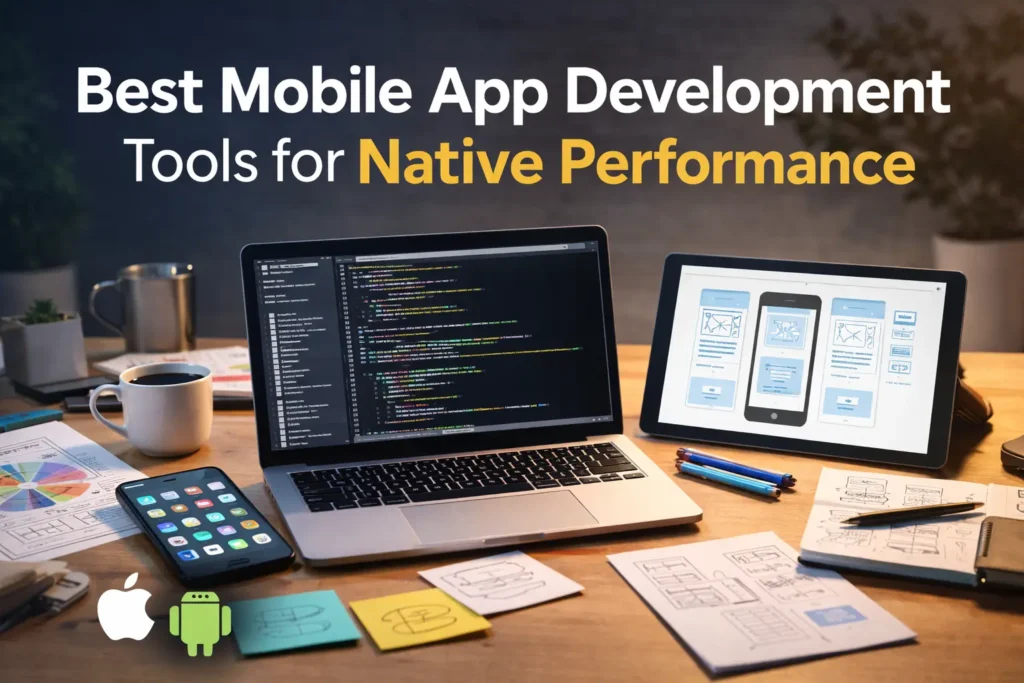
When performance is non-negotiable, native development still holds its ground. Not because it’s trendy, but because it removes limitations. Native tools give you direct access to the device. That means smoother animations, faster load times, better memory management, and deeper integration with hardware features like cameras, sensors, and background processes. If your app relies heavily on real-time interactions, think fintech, gaming, or high-performance utilities, this level of control becomes critical.
But here’s the part most people overlook. Native development isn’t just about speed. It’s about predictability. You’re working within a stable environment designed specifically for the platform. That reduces unexpected behavior and makes debugging more straightforward compared to abstraction-heavy solutions. Over time, this stability translates into fewer performance issues and a more consistent user experience.
The trade-off, of course, is cost and complexity. Maintaining separate codebases requires more resources. Updates take longer. Coordination between teams becomes more demanding. But for products where user experience directly impacts revenue or retention, this investment often pays off.
The smartest teams don’t default to native, they choose it when performance is directly tied to business outcomes.
Leading Cross-Platform Development Tools That Actually Deliver
Cross-platform development has matured. The focus has shifted from “build once, run everywhere” to balancing speed and performance effectively without major compromises.
Modern cross-platform tools allow teams to launch faster, maintain a single codebase, and reduce development costs, especially in the early stages. For startups and MVPs, this can be the difference between launching in months instead of years. But here’s where reality kicks in. Not all cross-platform tools handle complexity equally well.
As your app grows, the abstraction layer that once helped you move fast can start working against you. Performance-intensive features may require platform-specific workarounds. Debugging can become more layered and time-consuming. And certain native functionalities might not integrate as smoothly as expected.
That doesn’t mean cross-platform tools are flawed. It means they require smarter usage. Top teams use them strategically. They push them where they perform best, UI-driven applications, content-based apps, or platforms where speed-to-market matters more than micro-optimizations. And when needed, they complement them with native modules to handle performance-critical components.
The mistake isn’t choosing cross-platform. The mistake is expecting it to behave like a native in every situation.
Backend & API Development Tools Behind Modern Software Systems
What users see is only half the story. The real strength of a mobile app lies in its backend. Every login, every data request, every interaction depends on how well your backend is structured. A slow or poorly optimized backend can make even the most beautifully designed app feel frustrating.
Modern development has shifted towards flexible backend solutions. Backend-as-a-service platforms allow teams to move quickly without building everything from scratch. They handle authentication, databases, and server management, reducing the need for heavy infrastructure early on.
But speed comes with limits. As your app scales, relying entirely on managed services can restrict customization. Costs can increase. Performance tuning becomes harder. That’s when many teams transition towards custom backend architectures for greater control.
APIs sit at the center of everything. They connect your app to databases, third-party services, and external systems. Poor API design leads to slow responses, broken features, and inconsistent data flow. Strong API architecture, on the other hand, creates a seamless experience that users never even notice, but always feel.
This is where experienced teams think ahead. They design backend systems not just for current needs, but for future expansion. Because rebuilding your backend later is far more complex than getting it right early.
📍 You might also like: Time Management Tools
UI/UX Design & Prototyping Tools That Reduce Development Friction
A good app isn’t just functional, it feels right. And that “feel” starts long before development begins. UI/UX tools have evolved into collaboration platforms where designers and developers work in sync instead of in silos. This reduces miscommunication, speeds up iterations, and ensures that what gets built actually matches the intended experience.
But the real advantage isn’t just visual design. It’s clarity. When design systems are well-structured, developers spend less time guessing and more time building. Components are reusable. Interactions are predictable. Updates become easier to implement without breaking the overall experience.
Prototyping tools take this a step further. They allow teams to simulate user flows before writing a single line of code. This helps identify friction points early, when changes are still cheap and easy to make.
Without this layer, most teams fall into a common trap. They design in theory and fix in production. And fixing in production is always more expensive.
Testing, Debugging, and Performance Optimization Tools
No matter how strong your development process is, issues will happen. The difference between a good app and a great one is how quickly those issues are identified and resolved.
Testing tools are no longer optional. Automated testing ensures that new updates don’t break existing features. It creates a safety net that allows teams to move fast without constantly worrying about regressions. Without it, every update becomes a risk.
Debugging tools add another layer of visibility. They help developers trace issues, understand crashes, and fix problems efficiently. In complex applications, this visibility is critical. Otherwise, teams waste hours chasing problems without clear direction.
Performance optimization tools close the loop. They monitor how the app behaves in real-world conditions, on different devices, network speeds, and usage patterns. This data reveals bottlenecks that aren’t visible during development.
Here’s the reality most people ignore: Users don’t complain about code. They complain about the experience.
Slow load times, crashes, and laggy interactions directly impact retention. And in competitive markets, users don’t wait; they leave. That’s why top teams invest heavily in this layer. Because building the app is only half the work. Keeping it fast, stable, and reliable is what actually drives growth.
How to Choose the Right Mobile App Development Tools for Your Project

By this point, one thing should be clear: there’s no universal “best” tool. There’s only the right fit. And finding that fit has less to do with features and more to do with clarity.
Before you even look at tools, you need to understand what you’re building. Not just the idea, but the depth of it. Is this a simple MVP meant to validate demand? Or a long-term product expected to scale to thousands or millions of users?
Because those are two completely different games. If speed is your priority, your choices will lean towards tools that reduce development time, even if they come with some limitations. If performance and scalability are critical, you’ll need tools that offer more control, even if they slow you down in the beginning.
Then comes your audience. Different user bases come with different expectations. A consumer-facing app competing in a saturated market needs to feel fast, smooth, and polished. There’s very little room for compromise. On the other hand, internal tools or niche products can afford more flexibility in performance as long as they deliver value.
Budget also plays a bigger role than most people admit. Not just the cost of development, but the cost of maintenance, updates, and scaling. Some tools are cheap to start but expensive to grow with. Others require higher upfront investment but pay off in the long run.
And then there’s your team. The best tool in the world won’t help you if your team can’t use it efficiently. Choosing a stack that aligns with your team’s expertise reduces friction, speeds up execution, and minimizes costly mistakes.
This is where experienced founders and developers think differently. They don’t chase perfection. They aim for alignment. Because when your tools match your product goals, your team capabilities, and your growth vision, everything starts to move faster, without breaking later.
Common Mistakes to Avoid When Selecting Development Tools
Most tool-related problems don’t show up immediately. They appear later, when your app starts growing. One of the biggest mistakes is choosing tools based on hype. Just because something is trending doesn’t mean it’s right for your product. Trends are often shaped by specific use cases, not universal needs.
Another common issue is overengineering. Trying to prepare for massive scale from day one sounds smart, but in reality, it slows you down. Complex architectures, unnecessary integrations, and heavy tools can delay your launch without adding real value in the early stages.
On the flip side, underestimating scalability can be just as damaging. Some teams choose tools that work perfectly for small apps but struggle under real user load. When growth happens, they’re forced into migrations, rewrites, or quick fixes that create long-term instability.
Tool-hopping is another silent killer. Switching technologies mid-development or too frequently breaks momentum. It confuses teams, increases costs, and often leaves projects in an incomplete state.
And then there’s the mistake almost no one talks about, ignoring maintenance. Every tool you choose comes with long-term responsibility. Updates, compatibility issues, security patches, these don’t stop after launch. If your stack isn’t maintainable, your app becomes harder to manage over time.
The pattern is simple. Most mistakes happen when decisions are made for the present without thinking about the future.
Future Trends in Mobile App Development Tools
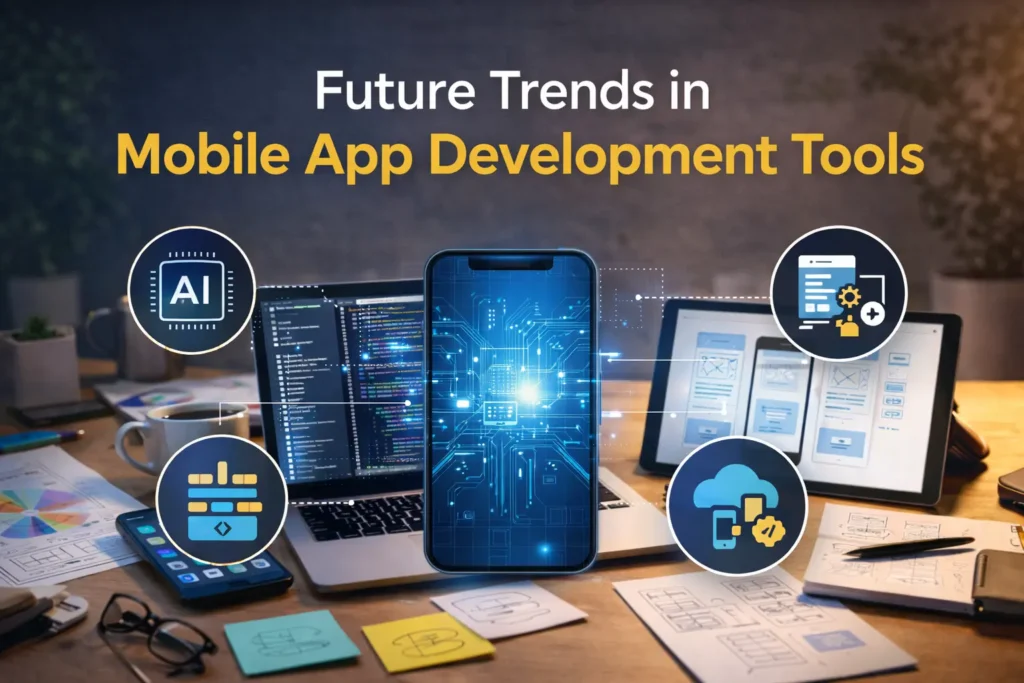
The mobile development landscape is evolving fast. And the shift isn’t just about new tools, it’s about how development itself is changing. AI is starting to play a bigger role. Not just in generating code, but in optimizing workflows, detecting bugs, and improving performance automatically. Development is becoming less about writing everything from scratch and more about guiding intelligent systems.
Low-code platforms are also maturing. What started as simple drag-and-drop builders is slowly turning into more flexible systems capable of handling complex applications. While they still have limitations, the gap between speed and capability is closing.
Edge computing is another shift worth paying attention to. Instead of relying entirely on centralized servers, apps are moving certain processes closer to the user. This reduces latency and improves real-time performance, especially important for data-heavy and interactive applications.
At the same time, performance-focused frameworks are gaining attention. Developers are becoming more conscious of efficiency, not just functionality. Lightweight, optimized tools are replacing bloated systems that slow apps down. But here’s the key insight. The future is no longer about a one-size-fits-all tool. It’s about building flexible stacks that can evolve.
Because the tools you choose today will eventually change. The only way to stay ahead is to build systems that can adapt without breaking.
Conclusion
Mobile app development goes beyond a purely technical process. It’s a series of decisions that shape your product’s future. The tools you choose will influence how fast you build, how well your app performs, how easily it scales, and how much it costs to maintain. They affect your team’s efficiency, your ability to adapt, and ultimately, your product’s success.
That’s why smart teams don’t rush this step. They think beyond launch. They plan for growth. They choose tools that support where they’re going, not just where they are. Because in the long run, it’s not the fastest-built apps that win. It’s the ones built on the right foundation.
FAQs About Mobile App Development Tools
What are the best mobile app development tools for beginners vs professionals?
For beginners, tools that simplify development and reduce setup complexity are usually the best starting point. They allow faster learning and quicker results. Professionals, however, prioritize scalability, flexibility, and long-term maintainability. Their focus is less on ease and more on control and performance.
Are cross-platform tools good enough for high-performance apps?
They can be, depending on the use case. For many applications, modern cross-platform tools deliver solid performance. But for highly complex or performance-sensitive apps, native development still provides better control and optimization.
How do I choose between native and cross-platform development?
It comes down to priorities. If performance, deep hardware integration, and user experience are critical, native is usually the better choice. If speed, cost-efficiency, and faster deployment matter more, cross-platform can be a strong option.
What backend tools are best for mobile app development?
The best choice depends on your project’s scale and complexity. Managed backend services work well for quick launches and smaller apps, while custom backend solutions offer more flexibility and control for larger, growing platforms.
How much do mobile app development tools impact cost and timeline?
Significantly. The right tools can reduce development time, simplify maintenance, and lower long-term costs. The wrong tools, on the other hand, can lead to delays, higher expenses, and the need for major changes as your app grows.
📍Don’t just read this once, follow New Topy for more layers.