

Best Network Troubleshooting Tools in 2026 (Complete Guide)
Modern businesses run on networks. Whether employees are accessing cloud applications, customers are completing online transactions, or remote teams are joining video meetings, network performance directly affects productivity and revenue. The problem is that network issues rarely announce themselves clearly. A slow application might be caused by DNS delays, packet loss, a congested router, a faulty switch port, or even a misconfigured firewall.
This is where network troubleshooting tools become indispensable.
Instead of relying on guesswork, IT professionals use specialized diagnostic tools to identify the exact source of a problem. These tools reveal what is happening inside the network, measure performance, track traffic flows, and expose failures before they become costly outages. For organizations that depend on digital infrastructure, effective troubleshooting is no longer optional, it is a core operational requirement.
The best network engineers do not simply react to problems. They build visibility into the network so they can detect abnormal behavior early, isolate root causes quickly, and restore services with minimal disruption. The right troubleshooting toolkit makes that possible.
Why Network Troubleshooting Tools Matter More Than Ever
Networks have become significantly more complex than they were a decade ago. Traditional office environments have evolved into hybrid ecosystems that include cloud platforms, remote workers, SaaS applications, VPN connections, wireless networks, and Internet-facing services. Every additional component creates another potential point of failure.
Without proper visibility, troubleshooting becomes a frustrating process of trial and error. Teams may reboot devices, change configurations, or escalate tickets without ever understanding the real issue. This wastes time and increases downtime.
Professional network troubleshooting tools solve this problem by providing measurable data. Instead of asking, “Is the network slow?” administrators can ask much more precise questions: Which link is experiencing packet loss? Which application is consuming bandwidth? Which hop in the route is introducing latency? Which device stopped responding?
That level of clarity dramatically reduces mean time to resolution (MTTR), improves user experience, and helps organizations maintain reliable services.
The Most Important Categories of Network Troubleshooting Tools
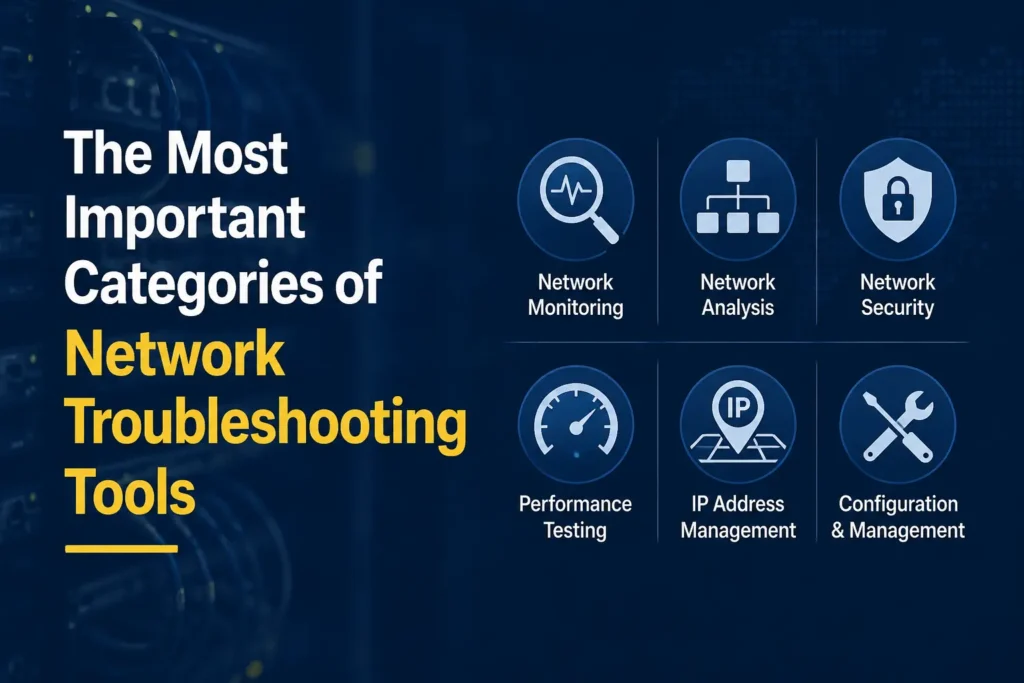
Not all network issues are the same, which is why experienced administrators use multiple types of diagnostic tools. Each category serves a different purpose and reveals a different layer of network behavior.
Ping Tools: The First Check Every Engineer Performs
When a user reports that a website or server is unreachable, the first question is usually simple: Can we reach the destination at all?
Ping tools work by sending ICMP echo requests and tracking response times. They are often the fastest way to verify basic connectivity between devices.
A successful ping confirms that the target is reachable and provides a rough indication of latency. Failed responses can indicate routing problems, firewall restrictions, device failures, or connectivity interruptions.
Although ping is considered a basic diagnostic tool, experienced engineers still rely on it daily because it immediately narrows the scope of an investigation.
Traceroute Tools: Finding Where the Delay Occurs
Connectivity problems are not always all-or-nothing. Sometimes a destination is reachable, but traffic takes an inefficient path or encounters delays along the route.
Traceroute tools reveal each hop that packets traverse between the source and destination. By examining the route, administrators can identify where latency increases, where packets are dropped, or where routing anomalies occur.
This makes traceroute particularly valuable for troubleshooting WAN connections, internet performance issues, and cloud-access problems.
Network Monitoring Tools: Continuous Visibility
Reactive troubleshooting is useful, but proactive monitoring is even better. Network monitoring tools continuously collect performance data from routers, switches, servers, firewalls, and other network devices.
These platforms track metrics such as bandwidth utilization, interface errors, CPU usage, memory consumption, packet loss, and device availability. Instead of waiting for users to complain, administrators receive alerts when performance degrades.
For growing organizations, network monitoring often becomes the foundation of a mature IT operations strategy.
Packet Analyzers: Seeing What Is Actually Happening
Some problems require a much deeper investigation. A connection may appear healthy while applications still perform poorly.
Packet analyzers capture and inspect network traffic in detail. They allow engineers to see individual packets, protocols, sessions, retransmissions, and errors. This level of visibility is essential for diagnosing complex issues involving application performance, authentication failures, TCP problems, or unusual traffic patterns.
Among all troubleshooting categories, packet analysis is often considered one of the most powerful and one of the most skill-intensive.
Bandwidth Monitoring Tools: Identifying Network Congestion
Most performance issues ultimately stem from congestion. A backup job, large file transfer, video stream, or cloud synchronization process can consume significant bandwidth and affect other users.
Bandwidth monitoring tools help identify which devices, users, or applications are generating traffic. This allows administrators to pinpoint bandwidth hogs, plan capacity upgrades, and implement traffic management policies.
📌 You might also like: Mobile App Development Tools
Why Professionals Use Multiple Tools Together
One of the biggest mistakes inexperienced administrators make is expecting a single tool to solve every problem. In reality, effective troubleshooting is usually a layered process.
An engineer might begin with ping to confirm connectivity, use traceroute to identify where delays occur, check a monitoring platform for historical trends, and finally capture packets to investigate protocol-level behavior.
Every tool contributes to the overall picture.
The organizations that resolve network issues fastest are rarely the ones with the most expensive software. They are the ones that combine the right tools with a structured troubleshooting methodology and a clear understanding of how networks behave under normal and abnormal conditions.
Top Network Troubleshooting Tools for Diagnosing and Resolving Network Issues
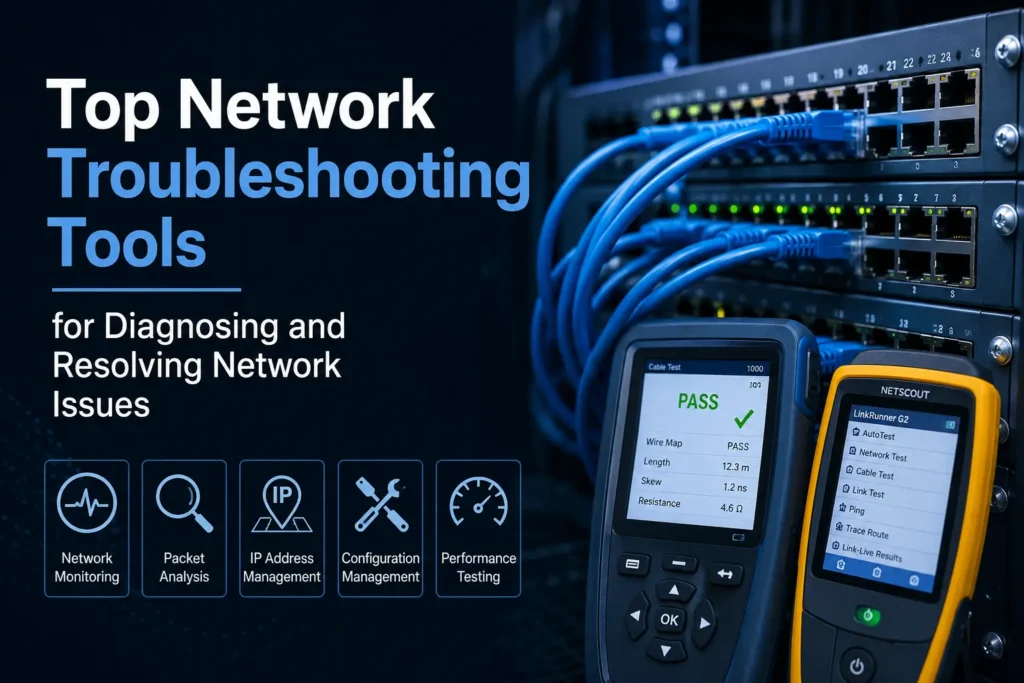
Knowing the categories of troubleshooting tools is one thing. Knowing which solutions professionals actually trust in production environments is another.
The reality is that no single platform can solve every networking challenge. Enterprise administrators, managed service providers, network engineers, and security teams often rely on a combination of tools that complement one another. Some focus on monitoring, others specialize in packet analysis, while a few provide broad visibility across the entire network infrastructure.
The following tools have consistently earned a place in professional troubleshooting workflows because they help teams identify issues faster and make better decisions based on real network data.
Wireshark: The Gold Standard for Packet Analysis
When network engineers need to see exactly what is happening on a network, Wireshark is often the first tool they reach for.
Wireshark captures packets in real time and allows users to inspect network conversations at an extremely granular level. Instead of looking at high-level metrics, administrators can analyze individual packets, TCP handshakes, DNS requests, SSL negotiations, retransmissions, and protocol errors.
This level of visibility makes Wireshark invaluable when troubleshooting complex application issues that traditional monitoring tools cannot explain.
For example, if users report slow access to a web application, a monitoring platform may show increased latency. Wireshark can identify whether delays stem from DNS lookups, TCP retransmissions, server response times, or network congestion.
Despite its power, Wireshark has a learning curve. New users can easily become overwhelmed by the amount of data generated during a packet capture. However, experienced professionals consider it one of the most effective network analysis tools ever created.
SolarWinds Network Performance Monitor
Large organizations often need more than troubleshooting utilities. They need continuous network visibility.
SolarWinds Network Performance Monitor is designed for exactly that purpose.
The platform collects performance metrics from routers, switches, firewalls, servers, and other infrastructure devices. Rather than waiting for users to report problems, administrators can proactively identify performance degradation before it affects business operations.
One of its biggest strengths is network visualization. Instead of manually tracing connections between devices, teams can quickly understand dependencies across their infrastructure.
When a critical service becomes unavailable, this visibility significantly reduces troubleshooting time because engineers can immediately identify which components may be contributing to the outage.
For enterprises managing hundreds or thousands of network devices, centralized monitoring often becomes the foundation of effective troubleshooting.
PRTG Network Monitor
PRTG has gained popularity because it combines powerful monitoring capabilities with a relatively straightforward deployment process.
Unlike many monitoring platforms that require extensive configuration, PRTG allows organizations to begin collecting performance data quickly.
The platform uses sensors to monitor various aspects of network health, including bandwidth utilization, CPU consumption, memory usage, latency, and device availability.
One reason many IT teams appreciate PRTG is its flexibility. Organizations can monitor network infrastructure, cloud services, virtual environments, applications, and websites from a single interface.
This unified approach simplifies troubleshooting because administrators no longer need to jump between multiple dashboards to investigate a problem.
Nagios
Few monitoring tools have influenced the industry as much as Nagios.
For years, Nagios has been a preferred solution for organizations seeking deep customization and extensive monitoring capabilities. Its open architecture allows administrators to monitor virtually any device, service, application, or network component.
Nagios excels at alerting teams when abnormal conditions occur. Instead of discovering issues after users submit support tickets, administrators receive notifications the moment predefined thresholds are exceeded.
This proactive approach transforms troubleshooting from a reactive process into a preventative one.
Although newer platforms often provide more polished interfaces, Nagios remains a respected choice among experienced network professionals who value flexibility and control.
ManageEngine OpManager
ManageEngine OpManager combines network monitoring, fault management, performance analysis, and infrastructure visibility into a single platform.
One of its key strengths is root cause analysis.
Many monitoring solutions can tell administrators that a problem exists. OpManager goes further by helping identify why the problem occurred.
This distinction matters because resolving symptoms without addressing root causes often leads to recurring issues.
By correlating performance metrics across multiple devices and services, OpManager enables IT teams to understand how one failure may impact other systems within the environment.
For businesses that depend heavily on network uptime, this level of contextual awareness can dramatically improve troubleshooting efficiency.
PingPlotter
Traditional ping tools provide a snapshot of connectivity at a specific moment. PingPlotter extends this concept by continuously tracking network performance over time.
Instead of showing a single response, PingPlotter visualizes latency, packet loss, and route performance through historical graphs.
This is particularly useful for intermittent issues.
Many network problems occur sporadically and disappear before an administrator can investigate them. Continuous monitoring allows engineers to capture these events and identify recurring patterns.
For organizations dealing with unstable internet connections, cloud performance concerns, or remote workforce connectivity issues, PingPlotter can reveal trends that would otherwise remain hidden.
Nmap
While many troubleshooting tools focus on performance, Nmap focuses on discovery and visibility.
Nmap helps administrators identify devices connected to the network, detect open ports, discover running services, and uncover configuration issues.
This information becomes extremely valuable during troubleshooting because unknown devices, unauthorized services, or unexpected port configurations often contribute to network problems.
Network engineers frequently use Nmap when auditing infrastructure, validating configurations, or investigating connectivity anomalies.
Its ability to quickly map network assets makes it one of the most widely used diagnostic tools in IT environments.
NetSpot
Wireless networks introduce challenges that traditional network tools cannot always address.
Weak signals, channel interference, poor access point placement, and coverage gaps can all impact user experience.
NetSpot helps administrators visualize wireless network performance through heatmaps and site surveys.
Instead of guessing why users experience poor connectivity in specific areas, IT teams can identify signal weaknesses and optimize wireless coverage accordingly.
As organizations continue supporting hybrid workspaces and wireless-first environments, Wi-Fi troubleshooting tools have become increasingly important.
📌 You might also like: Cybersecurity Tools
How to Choose the Right Network Troubleshooting Tool
The best troubleshooting tool depends largely on the nature of the network and the problems being addressed.
A small business with a handful of devices may only need basic monitoring and diagnostic capabilities. A multinational enterprise, however, requires advanced visibility across distributed networks, cloud environments, and remote locations.
The most effective approach is usually not selecting a single solution but building a toolkit that combines monitoring, packet analysis, route testing, bandwidth analysis, and device discovery.
Network troubleshooting is ultimately about visibility. The more accurately administrators can observe network behavior, the faster they can identify root causes and restore normal operations.
Essential Features to Look for in Network Troubleshooting Software
Not all network troubleshooting tools are built with the same level of depth or intelligence. Some are designed for quick diagnostics, while others are built for enterprise-scale observability. Choosing the right one depends less on brand names and more on core capabilities.
One of the most important features is real-time visibility. Networks are dynamic, and issues can appear and disappear within seconds. Tools that offer live monitoring of latency, packet loss, bandwidth usage, and device health allow engineers to catch problems as they happen rather than after the damage is done.
Another critical capability is automated alerting. In large environments, it is impossible for a human to watch every metric continuously. Intelligent alert systems that notify administrators when thresholds are crossed help reduce response time and prevent minor issues from escalating into outages.
Deep packet inspection is also essential for advanced troubleshooting. While high-level dashboards are useful for trends, packet-level data is what reveals the truth behind application slowdowns, authentication failures, and protocol errors. Without this layer of visibility, many issues remain unsolved or misdiagnosed.
Modern networks also require strong visualization features. Network maps, dependency graphs, and traffic flow diagrams help engineers understand relationships between devices and identify bottlenecks quickly. When a failure occurs, visual context often speeds up root cause identification more than raw logs ever could.
Scalability is another factor that becomes increasingly important as organizations grow. A tool that works well for a small office may struggle in a distributed enterprise environment with cloud infrastructure, remote endpoints, and hybrid workloads. The ability to scale without performance loss is what separates basic utilities from enterprise-grade platforms.
Finally, integration capability plays a major role. The most effective troubleshooting systems do not operate in isolation. They connect with ticketing systems, cloud platforms, security tools, and automation frameworks to provide a unified operational view.
Best Practices for Effective Network Troubleshooting
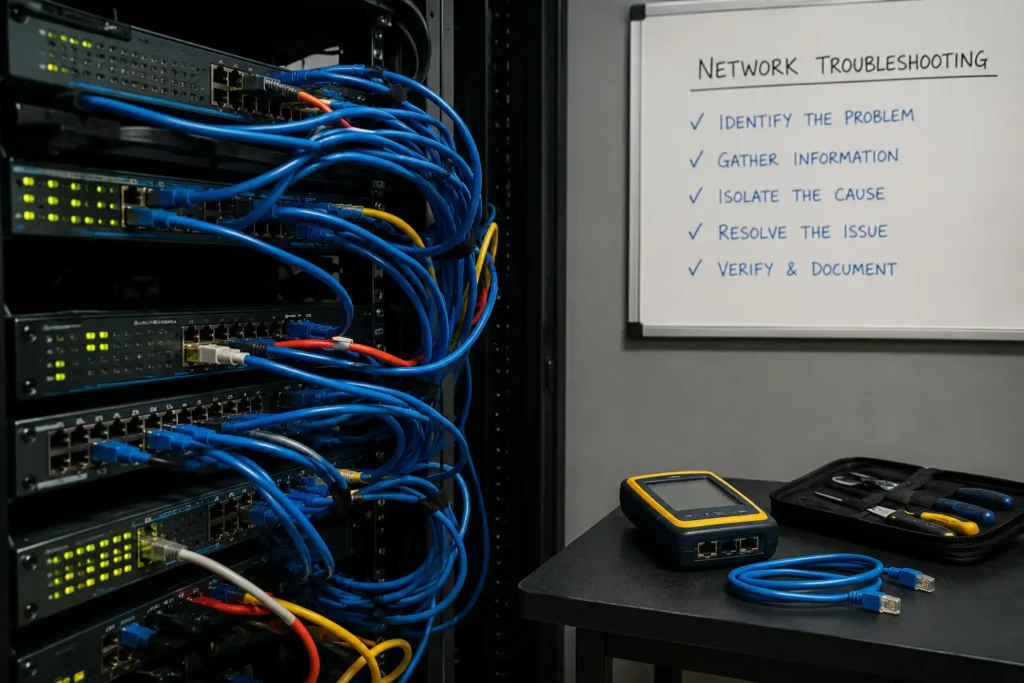
The best tools are only as effective as the approach used to apply them. Experienced network engineers rely on structured approaches rather than random testing.
One of the most important practices is establishing a performance baseline. Without knowing what “normal” looks like, it becomes impossible to identify abnormal behavior. Baselines help distinguish between expected traffic fluctuations and genuine performance issues.
Continuous monitoring is another foundational practice. Instead of reacting to complaints, proactive monitoring allows teams to detect anomalies before users are impacted. This shift from reactive to proactive troubleshooting significantly improves service reliability.
Documentation also plays a crucial role. Networks evolve constantly, and without proper records of configurations, changes, and previous incidents, troubleshooting becomes slower and more error-prone. Well-maintained documentation ensures that engineers do not repeat past mistakes or waste time rediscovering known issues.
Another best practice is combining multiple tools during investigations. No single solution provides a complete picture. A typical workflow might involve using ping to confirm connectivity, traceroute to identify routing issues, a monitoring dashboard to review historical patterns, and packet analysis to uncover protocol-level problems.
Automation is increasingly important as well. Routine diagnostics, alert responses, and performance checks can often be automated, freeing engineers to focus on complex problems rather than repetitive tasks.
Finally, experienced professionals always validate changes carefully. Many network issues are introduced unintentionally through configuration updates, software deployments, or infrastructure changes. Controlled testing and staged rollouts help prevent these issues from reaching production environments.
📌 You might also like: Weather Tools
Future Trends in Network Troubleshooting
Network troubleshooting is evolving rapidly as infrastructure becomes more distributed and cloud-dependent. Traditional reactive models are gradually being replaced by intelligent, predictive systems.
One of the biggest shifts is the rise of AI-powered diagnostics. Instead of manually interpreting logs and metrics, modern tools are beginning to use machine learning to detect anomalies, correlate events, and even suggest likely root causes automatically.
Predictive analytics is also becoming more common. Rather than waiting for a failure to occur, systems can analyze trends in traffic, latency, and resource usage to predict potential outages before they happen. This allows organizations to address issues proactively.
Another major trend is automation-driven remediation. In advanced environments, some troubleshooting workflows can now resolve issues automatically. For example, a system might reroute traffic, restart a service, or adjust bandwidth allocation without human intervention.
Cloud-native monitoring is also reshaping the field. As more infrastructure moves to platforms like AWS, Azure, and Google Cloud, troubleshooting tools must adapt to dynamic, containerized, and serverless environments where traditional network boundaries no longer exist.
Finally, AIOps (Artificial Intelligence for IT Operations) is emerging as a central concept in modern network management. It combines monitoring, analytics, and automation into a unified system that continuously learns from network behavior and improves decision-making over time.
Conclusion
Network troubleshooting tools are no longer optional utilities reserved for IT specialists—they are essential components of modern digital infrastructure. As networks become more complex, distributed, and cloud-driven, the ability to quickly diagnose and resolve issues determines how reliably businesses can operate.
The most effective approach is not relying on a single solution but building a layered toolkit that combines monitoring, packet analysis, traffic inspection, and predictive insights. Tools like Wireshark, SolarWinds, PRTG, Nagios, and others each play a unique role in this ecosystem.
However, tools alone are not enough. Success depends on how they are used: establishing baselines, monitoring continuously, documenting systems, and applying structured troubleshooting methods. When these practices are combined with the right technology, network issues become faster to diagnose, easier to resolve, and less likely to repeat.
In a world where even a few minutes of downtime can impact revenue, productivity, and user trust, strong network troubleshooting capability is not just a technical advantage, it is a business necessity.
Frequently Asked Questions (FAQs)
What are network troubleshooting tools used for?
Network troubleshooting tools are used to identify, diagnose, and resolve issues in computer networks, such as connectivity failures, slow performance, packet loss, and routing problems.
Which tool is best for network troubleshooting?
There is no single best tool. Wireshark is widely used for packet analysis, while tools like PRTG and SolarWinds are preferred for monitoring, depending on the use case.
What is the difference between ping and traceroute?
Ping checks whether a device is reachable and measures response time, while traceroute maps the path packets take and identifies where delays or failures occur.
Are there free network troubleshooting tools available?
Yes, tools like Wireshark, Nmap, and PingPlotter (free versions) offer powerful diagnostic capabilities without cost, though advanced features may require paid plans.
Why is network monitoring important in troubleshooting?
Network monitoring provides continuous visibility into performance and helps detect issues early, reducing downtime and improving overall network reliability.
➾If you’re saving this, you’ll want more. Follow New Topy.