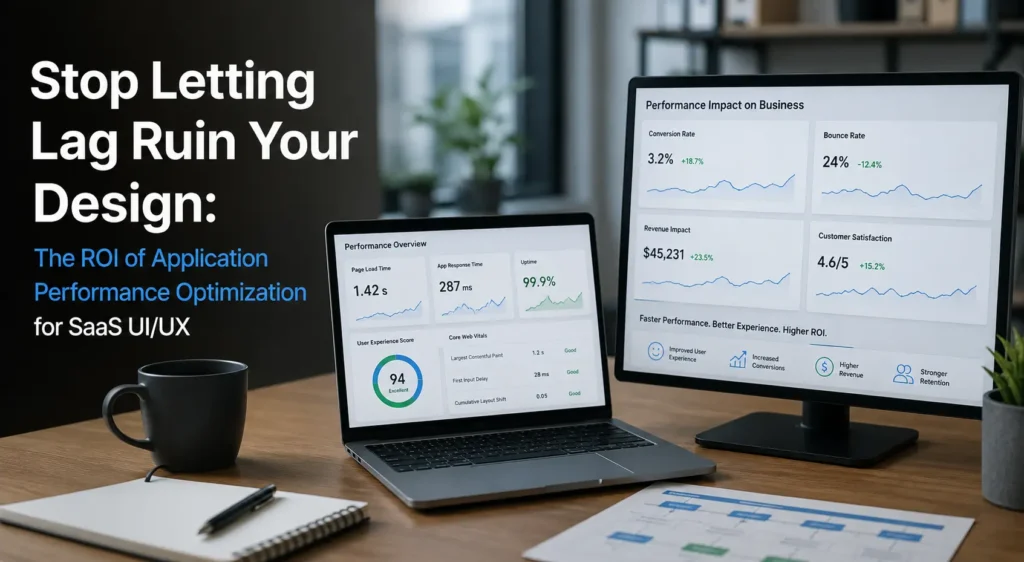

Stop Letting Lag Ruin Your Design: The ROI of Application Performance Optimization for SaaS UI/UX
Your design team spent six months perfecting that dashboard. The microinteractions are buttery. The colour system is on brand. The empty states are clever. And then a user clicks “Generate Report”… and waits. Four seconds. Six seconds. They alt-tab to Slack. They don’t come back.
That moment, the silent gap between intention and response, is where most SaaS products quietly bleed revenue. I’ve sat in too many product reviews where stakeholders praise the UI while ignoring the 3.8-second API call hiding behind it. Beautiful design without application performance optimization is like a sports car with bicycle wheels: it looks fast, but it isn’t.
This guide breaks down why performance optimization is now a UX problem (not just a backend one), what it costs you when you ignore it, and how a structured approach to application performance optimization turns lag into measurable ROI.
Written from hands-on experience working with SaaS engineering and product teams over the last decade, including post-mortems on real churn spikes traced back to p95 latency.
Why Performance Is the Invisible Layer of UI/UX
Application performance optimization is the systematic process of improving the speed, responsiveness, scalability, and stability of a software product so that users experience zero friction between action and outcome. In SaaS UI/UX, it directly determines whether a beautifully designed interface actually feels beautiful to use.
Designers obsess over what users see. Performance engineers obsess over what users feel. The truth is: users don’t separate the two. A 100-millisecond delay in load time can hurt conversion rates by up to 7% (Akamai), and 53% of mobile users abandon a page that takes more than three seconds to load (Google via Shopify).
In SaaS, the stakes are higher than retail. Your users aren’t browsing, they’re trying to do their job. Every spinner is a tax on their workflow.
The Real Cost of Ignoring Software Performance Engineering
When Lag Becomes Churn
Riverbed research cited by Sedai found that 90% of business users say poor SaaS performance hurts their productivity and willingness to keep using the tool. In B2B SaaS, where annual churn benchmarks sit around 5–7%, even a small performance-driven uptick can wipe out a quarter of growth.
Here’s the part most product teams miss: users rarely cancel and say, “your p99 latency is too high.” They say, “It just feels clunky.” That feeling is what software performance engineering quietly fixes.
When Lag Becomes Technical Debt
Performance issues compound. Gartner reports that roughly 40% of the average IT budget will be consumed by technical debt by 2025. Every unindexed query, every N+1 problem, every bloated React bundle is a future invoice. Reducing technical debt isn’t a nice-to-have refactor; it’s the difference between shipping features in two weeks versus two quarters.
🖇 You might also like: AI Search Competitive Analysis Tools
How to Optimize Software Performance Without Breaking Your Design System
Most teams ask what software optimization is and immediately reach for caching. Caching is great, but it’s the seventh thing you should do, not the first. Here’s the order I recommend after years of audits:
Measure Before You Touch Anything
You cannot improve app performance that you haven’t measured. Establish real user monitoring (RUM) baselines for:
Largest Contentful Paint (LCP) – Does the hero render fast?
Interaction to Next Paint (INP) – Does the UI respond when clicked?
API p95 / p99 latency – what does the slowest 5% of users feel?
Time to Interactive on the slowest device your customer actually uses
If your dashboards only show averages, you’re lying to yourself. Averages hide the customers who churn.
Database Optimization Is Where the Big Wins Hide
In nearly every SaaS audit I’ve run, database optimization delivered the biggest single ROI lift. Missing indexes, unbounded queries, and chatty ORMs are the silent killers. One mid-market SaaS team I worked with reduced their report-generation endpoint from 8.2s to 380ms by adding three composite indexes and rewriting one query. No design changes. Massive UX win.
Front-End Discipline Protects the Design
Your UI library is probably shipping 40% of code the user never sees. Apply:
Code-splitting per route
Lazy-loading below-the-fold components
Image optimization (AVIF/WebP, responsive srcset)
Skeleton screens instead of spinners (perceived performance is real performance)
Architecture-Level Performance Optimization
Once the quick wins are done, application performance optimization moves into architecture: connection pooling, async job queues, CDN edge caching, read replicas, and breaking the monolith into properly bounded services. This is the work that determines whether you scale to 10x users without rewriting everything.
The ROI Math Your CFO Will Actually Care About

Let’s make this concrete. Imagine a SaaS doing $10M ARR, with a 7% annual churn rate. Half of churn is performance-influenced (a conservative read of the Sedai/Riverbed data).
| Lever | Conservative Lift | Annual Impact |
| Reduce p95 API latency by 40% | −1.5% churn | +$150K retained ARR |
| Cut LCP from 3.4s to 1.8s | +8% trial-to-paid conversion | +$240K new ARR |
| Database optimization on top 5 endpoints | −25% infra cost | +$80K saved |
| Reduce technical debt backlog by 30% | +20% feature velocity | Faster competitive moves |
Even at conservative numbers, that’s nearly half a million dollars unlocked from work that never touches a Figma file. That’s the ROI of application performance optimization services done properly.
Common Pitfalls (What I See SaaS Teams Get Wrong)
Three patterns repeat across almost every engagement:
Treating performance as a Q4 project. Performance is a practice, not a sprint. Bake it into the definition of done.
Optimizing the wrong layer. Teams spend weeks tuning React when the real bottleneck is a Postgres query running 12,000 times per page load.
Designing for ideal conditions. Your designers are on M3 MacBooks with fibre. Your customer is on a mid-range Android in a coworking space with patchy Wi-Fi. Design and test for their reality.
🖇 You might also like: Data Integration Tools
Frequently Asked Questions
What is software optimization, in plain terms?
It’s the discipline of making software do the same job in less time, with less memory, less compute, and less user patience, without changing what the software does.
How is performance optimization different from bug fixing?
Bug fixing addresses incorrect behaviour. Performance optimization addresses correct but slow behaviour. Both matter; they require different skills.
How long does an application performance optimization engagement take?
A focused audit takes 2–4 weeks. Quick wins ship in 30–60 days. Architectural improvements run 3–6 months. Anyone promising “instant” results is selling band-aids.
Is this only for big enterprises?
No. Early-stage SaaS benefits more because performance debt accrued at 10 customers is brutal at 10,000.
Closing Thought: Design and Speed Are the Same Conversation
The best product teams I’ve worked with stopped treating performance as an engineering chore. They moved it next to UX, gave it a budget, and watched retention curves bend the right way. Your interface is only as good as the millisecond behind it.
If you’re staring at a roadmap full of features but a Slack channel full of “the app feels slow,” you don’t have a feature problem. You have a performance problem dressed up as a UX problem.
Ready to Stop Letting Lag Ruin Your Design?
tkxel’s application performance optimization services are built specifically for SaaS teams who refuse to choose between beautiful design and brutal speed. Our engineers run end-to-end audits, fix the real bottlenecks (not the obvious ones), and leave your team with a performance practice, not just a patch.
💝This is your sign to upgrade your feed. Follow New Topy.