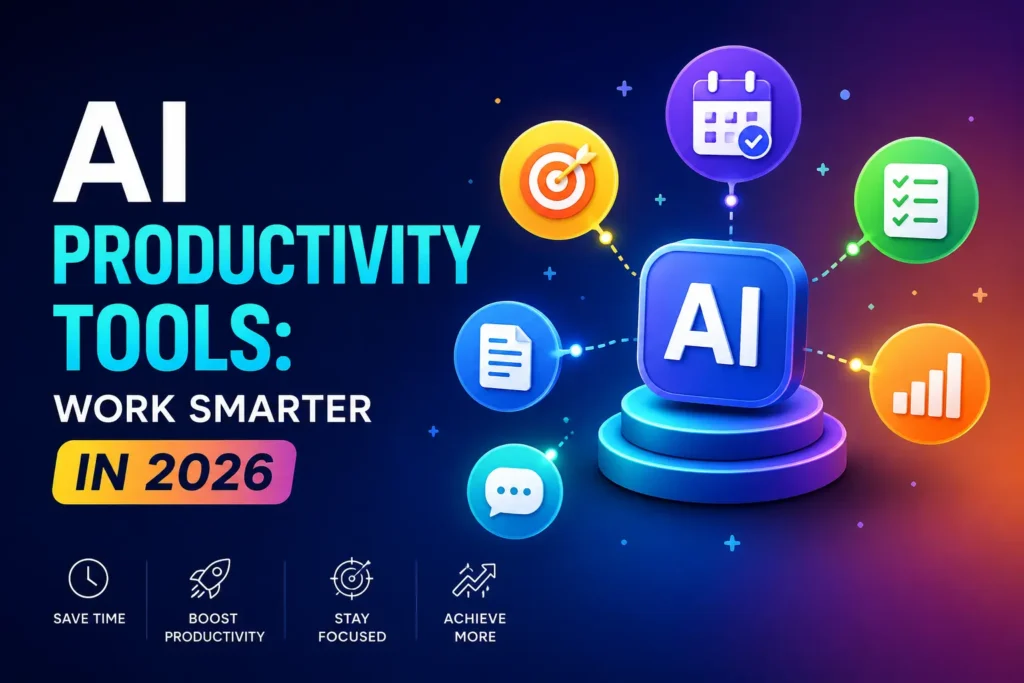

AI Productivity Tools: Work Smarter in 2026
Today, it helps professionals write reports, summarize meetings, organize projects, answer emails, analyze data, and automate repetitive tasks in seconds. Whether you’re a student trying to manage assignments, a freelancer juggling multiple clients, or a business owner looking to improve efficiency, AI productivity tools have become practical solutions for getting more done with less effort.
The rapid adoption of generative AI reflects this shift. and operations leading the way. At the same time, Microsoft’s Work Trend Index found that employees increasingly rely on AI to reduce repetitive work and spend more time on meaningful, high-value tasks.
The growing popularity of AI isn’t just about speed. Modern AI tools help people make smarter decisions, improve collaboration, reduce manual errors, and unlock creativity. Instead of replacing human expertise, they act as intelligent assistants that support daily workflows.
In this guide, you’ll learn what AI productivity tools are, how they work, why they matter, and which categories of tools can help you become more productive in 2026 and beyond.
What Are AI Productivity Tools?
AI productivity tools are software applications that use artificial intelligence to automate tasks, analyze information, generate content, and improve the way people work. Unlike traditional productivity software that relies on manual input, AI-powered platforms can understand natural language, recognize patterns, learn from data, and provide intelligent suggestions.
These tools are designed to eliminate repetitive work while helping users complete complex tasks more efficiently. For example, instead of manually drafting an email, organizing meeting notes, or researching a topic, an AI assistant can complete much of the work within seconds.
Today, AI productivity tools are used across almost every industry, including education, healthcare, finance, software development, marketing, and customer support.
How AI Productivity Tools Work
Most modern AI productivity tools combine several advanced technologies, including:
Large Language Models (LLMs) for writing, summarizing, and answering questions.
Machine Learning to identify patterns and improve performance over time.
Natural Language Processing (NLP) to understand human language and respond naturally.
Automation Engines to connect different apps and streamline workflows.
When you give an AI tool a prompt, it processes your request, analyzes relevant data, and generates an appropriate response or action. Depending on the platform, it may also integrate with your email, calendar, documents, cloud storage, or project management software to automate tasks across multiple applications.
This ability to connect information from different sources makes AI significantly more capable than conventional productivity software.
AI Productivity Tools vs. Traditional Productivity Software
Traditional productivity software helps users create documents, manage spreadsheets, schedule meetings, or organize tasks. However, users are responsible for performing nearly every action manually.
AI productivity tools take a different approach.
Instead of simply providing features, they actively assist users by generating ideas, recommending actions, automating repetitive processes, and adapting to changing workflows.
For example, a traditional document editor allows you to write content yourself. An AI-powered writing assistant can generate an outline, improve grammar, rewrite paragraphs, optimize SEO, and summarize lengthy documents—all within the same workspace.
This shift from manual work to intelligent assistance is one of the biggest reasons AI productivity tools have become indispensable in modern workplaces.
You might also like: Best Weather Tools for Accurate Weather Data in 2026
Benefits of Using AI Productivity Tools
AI productivity tools are no longer reserved for large enterprises. Individuals, startups, and small businesses are using them to work faster while maintaining quality.Save Time on Repetitive Tasks
Repetitive work often consumes a significant portion of the workday. Tasks such as replying to emails, scheduling meetings, formatting documents, or creating reports can take hours every week.
AI automates these routine activities, allowing professionals to focus on strategic thinking, creativity, and problem-solving.
Research from Microsoft shows that users frequently turn to AI assistants to reduce administrative work and improve overall productivity, enabling them to spend more time on tasks that require human judgment.
Improve Writing and Communication
Writing remains one of the most common workplace activities. AI writing assistants can help draft emails, create blog posts, generate marketing copy, summarize reports, and improve grammar without changing the intended message.
Rather than replacing writers, these tools accelerate the writing process by reducing time spent on editing, brainstorming, and proofreading.
This makes them particularly valuable for marketers, content creators, students, consultants, and business professionals.
Automate Daily Workflows
Modern businesses often use dozens of software applications every day. Switching between these platforms reduces efficiency and increases the chance of mistakes.
AI automation tools can connect multiple applications and automatically transfer information between them.
For example, a completed online form can automatically create a task in a project management system, notify a team through chat, and save customer information to a CRM without requiring manual input.
Automation not only saves time but also reduces operational bottlenecks.
Make Better Decisions with AI
Many AI tools can quickly analyze large amounts of information and present meaningful insights that would otherwise require hours of manual research.
Business professionals use AI to identify market trends, analyze customer feedback, summarize reports, and compare data from multiple sources.
Instead of replacing human decision-making, AI supports it by making information easier to understand.
Strengthen Team Collaboration
Collaboration becomes more challenging as organizations grow or teams work remotely.
AI-powered meeting assistants can automatically record conversations, generate summaries, identify action items, and distribute meeting notes to participants.
Similarly, AI project management platforms help teams prioritize tasks, predict deadlines, and monitor project progress without requiring constant manual updates.
These capabilities improve communication while reducing misunderstandings.
Reduce Human Errors
Manual processes inevitably lead to mistakes, especially when dealing with repetitive tasks or large datasets.
AI helps minimize errors by checking grammar, validating information, detecting inconsistencies, and automating calculations.
Although AI-generated output should always be reviewed before publication or implementation, it significantly reduces common human errors and improves overall efficiency.
Types of AI Productivity Tools
Not every AI tool serves the same purpose. Some specialize in writing, while others focus on automation, project management, meetings, or research.
Understanding these categories makes it easier to choose tools that align with your workflow rather than installing software you may never use.
AI Writing Assistants
AI writing assistants help users create, edit, and improve written content.
They can generate blog posts, rewrite paragraphs, suggest headlines, improve grammar, translate text, and even optimize content for search engines.
These tools are widely used by content creators, marketers, students, journalists, and business professionals who need to produce high-quality content more efficiently.
As language models continue to improve, AI writing assistants are becoming capable of maintaining consistent tone, adapting to different writing styles, and assisting with multilingual communication.
AI Meeting Assistants
Virtual meetings often generate valuable information that can easily be forgotten.
AI meeting assistants automatically record conversations, transcribe discussions, summarize key points, identify action items, and organize follow-up tasks.
Instead of taking manual notes during meetings, participants can focus entirely on the discussion while AI captures the important details.
This has become especially valuable for remote and hybrid teams.
AI Project Management Tools
Managing projects involves planning timelines, assigning responsibilities, tracking progress, and identifying risks.
AI-powered project management tools simplify these processes by analyzing workloads, predicting delays, recommending priorities, and automating routine project updates.
Rather than replacing project managers, these tools help teams make better decisions while reducing administrative overhead.
AI Research Tools
Finding reliable information online has become increasingly challenging. Search engines often return thousands of results, leaving users to sort through multiple sources before finding a clear answer. AI research tools simplify this process by analyzing information from trusted sources, summarizing key findings, and presenting concise responses with citations.
These tools are particularly useful for students, researchers, journalists, consultants, and professionals who regularly work with large volumes of information. Instead of spending hours reading lengthy reports or comparing articles, users can quickly understand complex topics and identify credible references.
While AI research tools significantly speed up the research process, it’s still important to verify critical information using authoritative sources, especially when making business or academic decisions.
AI Email Assistants
Email remains one of the biggest productivity challenges in modern workplaces. Professionals often spend several hours each week reading, organizing, and responding to emails.
AI email assistants help reduce this workload by drafting replies, summarizing long conversations, suggesting professional responses, correcting grammar, and prioritizing important messages.
Some advanced platforms can even learn your writing style and generate responses that match your preferred tone. This allows users to maintain consistent communication while saving valuable time.
For sales teams, customer support representatives, and executives who handle hundreds of emails every week, AI-powered email management has become an essential productivity solution.
AI Scheduling and Calendar Tools
Scheduling meetings across different time zones and managing busy calendars can quickly become overwhelming.
AI scheduling assistants automatically identify available time slots, coordinate meeting invitations, prevent scheduling conflicts, and adjust calendars when priorities change.
Instead of exchanging multiple emails to arrange a meeting, AI handles the process in the background. Some tools also recommend focus time by blocking distractions and optimizing daily schedules based on work habits.
As hybrid work continues to grow, AI scheduling tools are becoming increasingly valuable for maintaining organized and productive workdays.
AI Automation Platforms
Many businesses rely on dozens of applications every day, from CRM software and email platforms to accounting systems and project management tools. Manually transferring information between these applications wastes time and increases the risk of errors.
AI automation platforms connect different software solutions into intelligent workflows.
For example, when a customer submits a contact form, AI can automatically create a lead in your CRM, notify the sales team through Slack or Microsoft Teams, generate a follow-up email, and schedule a reminder—all without human intervention.
This level of automation helps businesses improve efficiency while reducing repetitive administrative work.
AI Note-Taking and Knowledge Management
Important ideas often get lost across notebooks, documents, chat applications, and meeting recordings.
AI-powered note-taking tools solve this problem by organizing information into searchable knowledge bases. They can summarize lengthy documents, connect related notes, extract action items, and answer questions using your stored information.
Rather than searching through dozens of folders, users can simply ask the AI to retrieve relevant information instantly.
This makes knowledge management significantly easier for teams that work with large amounts of documentation.
AI Design and Presentation Tools
Creating professional presentations and visual content traditionally required both design skills and significant time.
AI design platforms simplify the process by automatically generating slide layouts, improving visual consistency, suggesting graphics, and transforming written content into polished presentations.
Marketing teams, educators, consultants, and entrepreneurs can now produce high-quality presentations in minutes instead of spending hours designing each slide manually.
The result is faster content creation without compromising professionalism.
AI Coding Assistants
Software developers increasingly rely on AI coding assistants to improve efficiency throughout the development process.
These tools can generate code snippets, explain programming concepts, identify bugs, suggest improvements, create documentation, and assist with debugging.
Rather than replacing developers, AI coding assistants reduce repetitive programming tasks and allow engineers to focus on solving more complex technical problems.
According to GitHub research, developers using AI coding assistants often complete certain coding tasks more quickly than those working without AI support, highlighting the technology’s growing role in software development.
You might also like: Why DeepSwap Is the Smart Choice for AI-Generated Visual Content
Best AI Productivity Tools in 2026
The AI productivity landscape continues to evolve rapidly, but a handful of platforms consistently stand out for their innovation, reliability, and real-world usefulness. Each tool serves a different purpose, making it important to choose one that aligns with your workflow rather than simply selecting the most popular option.
ChatGPT – Best for Everyday Productivity
ChatGPT has become one of the most versatile AI assistants available today. It helps users write content, brainstorm ideas, summarize documents, analyze information, generate code, create marketing strategies, and answer complex questions using natural language.
Its flexibility makes it suitable for students, freelancers, marketers, developers, and business professionals alike. With support for document analysis, image understanding, and custom GPTs, it has evolved into a complete productivity companion rather than just a chatbot.
Claude Best for Long-Form Writing
Claude is known for producing well-structured, natural-sounding content while handling lengthy documents with impressive consistency.
Writers, researchers, legal professionals, and analysts often use Claude for drafting reports, reviewing contracts, summarizing research papers, and editing long-form content.
Its ability to maintain context across extensive conversations makes it especially useful for projects involving detailed documentation.
Google Gemini Best for Google Workspace Users
Gemini integrates seamlessly with Google services such as Gmail, Docs, Sheets, Drive, and Meet.
Users can summarize emails, generate spreadsheets, draft documents, analyze data, and retrieve information directly within the Google ecosystem.
For organizations already relying on Google Workspace, Gemini offers a natural extension that improves productivity without requiring major workflow changes.
Microsoft Copilot Best for Microsoft 365
Microsoft Copilot brings AI directly into Word, Excel, Outlook, PowerPoint, and Teams.
Professionals can generate reports, analyze spreadsheets, create presentations, summarize meetings, and draft emails using AI without leaving their existing Microsoft applications.
This integration makes Copilot particularly valuable for enterprise users and large organizations.
Notion AI Best All-in-One Workspace
Notion AI combines note-taking, documentation, task management, and AI assistance within a single platform.
Users can summarize meeting notes, generate project plans, brainstorm ideas, and organize information without switching between multiple applications.
Its collaborative features make it a favorite among startups and remote teams.
Perplexity AI – Best for Research
Perplexity AI focuses on delivering accurate answers supported by cited sources.
Unlike traditional search engines, it provides direct responses while referencing the websites used to generate its summaries.
This makes it an excellent choice for researchers, journalists, students, and professionals who require reliable information quickly.
Grammarly Best for Writing Improvement
Grammarly has expanded beyond grammar correction into a comprehensive AI writing assistant.
It helps users improve clarity, adjust tone, rewrite sentences, and maintain consistent communication across emails, reports, and marketing content.
Professionals who communicate frequently benefit from its ability to enhance writing without changing the intended message.
Otter.ai Best for Meeting Transcription
Otter.ai automatically records meetings, generates searchable transcripts, identifies speakers, and creates concise summaries.
Remote teams and business professionals use it to eliminate manual note-taking while ensuring that important discussions are documented accurately.
Fireflies.ai – Best for Meeting Summaries
Fireflies.ai integrates with major video conferencing platforms to capture conversations, summarize discussions, and identify follow-up tasks.
Its searchable meeting archive allows teams to revisit important decisions without reviewing full recordings.
Zapier AI Best for Workflow Automation
Zapier AI connects thousands of applications to automate repetitive business processes.
From lead generation and customer support to marketing campaigns and internal operations, it enables organizations to build intelligent workflows with minimal technical expertise.
Motion Best for AI Scheduling
Motion automatically organizes calendars, prioritizes tasks, reschedules unfinished work, and builds optimized daily plans.
Rather than simply displaying appointments, it actively helps users manage their time more effectively.
Gamma Best for AI Presentations
Gamma transforms written ideas into visually appealing presentations, documents, and webpages with minimal effort.
Its AI-powered design capabilities reduce the time needed to create professional presentations while maintaining a clean, modern appearance.
AI Productivity Tools by Use Case
Choosing the right AI tool depends less on popularity and more on how you work each day.
Students benefit most from AI tools that assist with research, note-taking, summarization, and study planning. These features make learning more efficient while helping users understand complex topics more quickly.
Freelancers often prioritize writing assistants, invoicing automation, project management, and scheduling tools that reduce administrative work and maximize billable hours.
Content creators rely on AI for brainstorming, SEO optimization, editing, scripting, and content repurposing across multiple platforms.
Digital marketers use AI to generate campaign ideas, analyze customer behavior, optimize advertising performance, and produce marketing content at scale.
Small businesses benefit from AI-powered customer support, workflow automation, document management, and sales assistance, allowing lean teams to accomplish more with limited resources.
Developers gain the most value from AI coding assistants that accelerate software development, identify bugs, explain code, and automate documentation.
Remote teams often combine AI meeting assistants, collaboration platforms, and project management tools to maintain communication and improve coordination across different locations.
How to Choose the Right AI Productivity Tool
With hundreds of AI tools available, selecting the right one requires careful consideration rather than simply following trends.
Start by identifying the biggest productivity challenges in your daily workflow. If writing consumes most of your time, an AI writing assistant may deliver the highest return. If repetitive administrative work is slowing your business, automation platforms may provide greater value.
Integration is another critical factor. The best AI tools work seamlessly with software you already use, reducing friction instead of creating additional complexity.
Ease of use also matters. A feature-rich platform offers little benefit if your team struggles to learn it. Look for intuitive interfaces and strong documentation that simplify adoption.
Pricing should be evaluated alongside long-term value. Free plans are useful for testing capabilities, but premium subscriptions often include advanced automation, collaboration features, larger usage limits, and better security.
Finally, consider privacy and data protection. Businesses handling confidential information should review how AI providers store, process, and secure user data before integrating these tools into daily operations.
Free vs. Paid AI Productivity Tools
One of the first questions people ask is whether a free AI tool is enough or if a paid subscription is worth the investment. The answer depends on how frequently you use AI and the complexity of your work.
Free AI productivity tools are an excellent starting point. Most popular platforms offer basic features that allow users to generate text, summarize documents, organize notes, or automate simple tasks without any cost. For students, casual users, and individuals exploring AI for the first time, these free plans often provide enough functionality to improve daily productivity.
However, as workloads become more demanding, the limitations of free plans become noticeable. Restricted usage limits, slower response times, fewer integrations, and reduced access to advanced AI models can interrupt workflows.
Paid plans are designed for professionals and businesses that rely on AI every day. They typically include faster performance, higher usage limits, access to the latest AI models, advanced automation, team collaboration features, enhanced security, and priority customer support.
Instead of viewing a paid subscription as an expense, many professionals consider it an investment. If an AI tool saves just one or two hours each week, the productivity gains can quickly outweigh the subscription cost.
Ultimately, the right choice depends on your workflow. Casual users may find free tools sufficient, while businesses and professionals often benefit from the additional capabilities offered by premium plans.
You might also like: Master New Topy for Smart Performance (Complete Guide)
Real-Life Examples of AI Productivity
The true value of AI becomes clear when it’s applied to everyday work. Across industries, professionals are using AI to simplify routine tasks and focus on more meaningful responsibilities.
A content marketer, for example, can use AI to generate article outlines, improve headlines, optimize content for search engines, and repurpose blog posts into social media updates. Instead of spending an entire day creating content, much of the groundwork can be completed within an hour.
Sales professionals use AI to summarize customer meetings, draft personalized follow-up emails, and analyze sales conversations to identify opportunities. This allows them to spend more time building relationships instead of handling administrative work.
Software developers rely on AI coding assistants to generate code snippets, explain unfamiliar functions, detect bugs, and write technical documentation. These tools accelerate development without replacing the expertise required to build reliable software.
Business leaders use AI to analyze reports, summarize financial data, identify market trends, and prepare presentations. Rather than manually reviewing hundreds of pages of information, they receive concise insights that support faster decision-making.
Educators and students also benefit from AI by simplifying research, organizing study materials, generating practice questions, and explaining difficult concepts in a more accessible way.
These examples demonstrate that AI is not replacing human expertise—it is reducing repetitive work so people can focus on creativity, strategy, and problem-solving.
Common Challenges of AI Productivity Tools
Despite their growing capabilities, AI productivity tools are not perfect. Understanding their limitations helps users apply them more effectively.
AI Can Make Mistakes
Even advanced AI models occasionally generate inaccurate or misleading information, a phenomenon often referred to as “hallucination.” While AI can produce confident responses, those responses should always be verified when accuracy is essential.
This is particularly important in fields such as healthcare, law, finance, and academic research, where incorrect information can have serious consequences.
Data Privacy and Security
Many AI platforms process user data in the cloud. Organizations working with confidential business information should carefully review each provider’s privacy policies, data handling practices, and security certifications before integrating AI into sensitive workflows.
Choosing enterprise-grade AI solutions with strong security controls is often the safest approach for businesses.
Learning Curve
Although many AI tools are designed to be user-friendly, achieving consistently high-quality results requires practice.
Writing effective prompts, understanding AI capabilities, and integrating automation into existing workflows take time. Users who invest in learning these skills generally see significantly better outcomes.
Subscription Costs
Using multiple AI platforms simultaneously can become expensive.
Many professionals subscribe to separate tools for writing, research, automation, design, meetings, and project management. Before purchasing additional software, it’s worth evaluating whether one platform can perform several of these tasks effectively.
A streamlined AI toolkit often delivers better value than maintaining numerous overlapping subscriptions.
Overdependence on AI
AI should support human decision-making—not replace it.
Relying entirely on AI-generated content without reviewing or refining the output can lead to factual inaccuracies, inconsistent quality, or a loss of originality.
The most effective users treat AI as a collaborative assistant while applying their own expertise, judgment, and creativity.
Best Practices for Getting Maximum Productivity from AI
Simply having access to AI does not guarantee better results. The way you use these tools has a significant impact on the value they provide.
Start by learning how to write clear, detailed prompts. Providing context, defining your objective, and specifying the desired format allows AI to generate more accurate and useful responses.
Rather than relying on a single platform, consider combining specialized AI tools. For example, you might use one tool for research, another for writing, and a third for workflow automation. This approach often produces better results than expecting one application to handle every task perfectly.
AI is most effective when it automates repetitive work. Tasks such as document formatting, email drafting, scheduling, meeting summaries, and data organization are ideal candidates for automation, allowing you to focus on strategic work.
Always review AI-generated content before publishing or sharing it. Human oversight remains essential for ensuring accuracy, maintaining brand voice, and adding personal insights that AI cannot replicate.
Finally, continue exploring new AI features. The technology evolves rapidly, and regular updates often introduce capabilities that can further improve your workflow.
The Future of AI Productivity Tools
AI productivity tools are evolving far beyond simple chatbots. The next generation of AI will act as intelligent digital coworkers capable of planning, executing, and managing increasingly complex workflows.
One of the biggest developments is the rise of AI agents. Unlike traditional assistants that respond only when prompted, AI agents can complete multi-step tasks independently. They may research information, schedule meetings, generate reports, and communicate with other software systems while requiring minimal human supervision.
Personalization will also become more advanced. Future AI assistants will better understand individual work habits, communication styles, priorities, and preferences, allowing them to provide highly tailored recommendations.
Multimodal AI is another significant trend. Instead of working only with text, AI systems can already understand images, audio, video, spreadsheets, and documents simultaneously. This creates a more natural and efficient way of interacting with information.
Businesses are also moving toward fully automated workflows. AI is expected to play a larger role in customer support, project management, software development, financial analysis, and business operations by handling routine processes while employees focus on higher-value responsibilities.
According to PwC, AI could contribute up to $15.7 trillion to the global economy by 2030, highlighting its growing importance across industries. As adoption continues to increase, AI productivity tools will become a standard part of everyday work rather than a competitive advantage reserved for early adopters.
Frequently Asked Questions
What is the best AI productivity tool?
There is no single best option for everyone. ChatGPT is widely recognized for its versatility, while tools like Microsoft Copilot, Google Gemini, Notion AI, and Claude excel in specific workflows. The right choice depends on your personal or business needs.
Are AI productivity tools free?
Many AI platforms offer free plans with basic features. Premium subscriptions typically unlock advanced AI models, larger usage limits, automation capabilities, and collaboration features.
Can AI improve workplace productivity?
Yes. AI helps automate repetitive tasks, improve communication, accelerate research, summarize information, and support better decision-making. Numerous organizations report measurable productivity improvements after integrating AI into daily operations.
Are AI productivity tools safe?
Most leading AI providers implement strong security measures. However, users should avoid sharing highly sensitive information without understanding the platform’s privacy policies and data protection practices.
Which AI productivity tool is best for students?
Students often benefit from AI tools that support research, writing, note-taking, summarization, and study planning. The best choice depends on individual learning needs and academic requirements.
Will AI replace human workers?
AI is more likely to transform jobs than replace them entirely. It excels at automating repetitive tasks, while humans continue to provide creativity, critical thinking, emotional intelligence, and strategic decision-making.
Conclusion
AI productivity tools have fundamentally changed the way people work. What once required hours of manual effort can now be completed in minutes with the support of intelligent automation. From writing and research to project management, coding, meetings, and workflow automation, AI has become an essential productivity partner for professionals across every industry.
However, the real advantage does not come from using the most popular AI tool—it comes from choosing the right tool for your specific workflow and using it effectively. The most productive individuals combine AI with human expertise, allowing technology to handle repetitive tasks while they focus on creativity, innovation, and informed decision-making.
As AI continues to evolve, its role in the workplace will only grow stronger. Professionals and businesses that learn to integrate AI thoughtfully today will be better prepared for the future of work, where efficiency, adaptability, and continuous learning are more valuable than ever.
Whether you’re a student aiming to study smarter, a freelancer managing multiple clients, or an organization seeking greater operational efficiency, adopting the right AI productivity tools can help you save time, improve work quality, and achieve more with every working day.
✨ Want bite-sized tech wisdom? Follow newtopy.