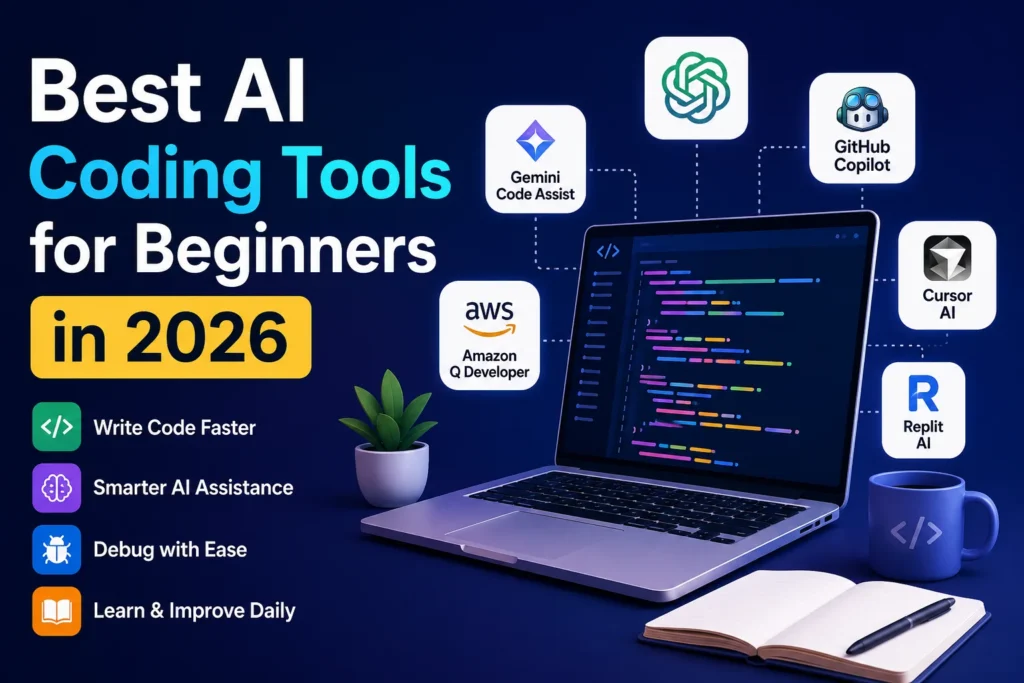

Best AI Coding Tools for Beginners in 2026 | Top Picks
AI coding tools are intelligent software assistants powered by large language models (LLMs) and machine learning. They help developers write, understand, edit, and debug code using natural language prompts or real-time code suggestions. Instead of manually searching documentation or writing every line from scratch, beginners can ask AI for guidance, explanations, and working examples. In 2026, these tools have become an essential part of modern software development, supporting languages like Python, JavaScript, Java, C++, Go, Rust, and many more. They improve productivity while helping new programmers learn faster through interactive assistance.
Definition of AI Coding Assistants
AI coding assistants are software applications that use artificial intelligence to help developers write, explain, review, and optimize code. Unlike traditional autocomplete tools, they understand programming context and natural language instructions. Popular examples include ChatGPT, GitHub Copilot, Cursor AI, and Claude, all of which assist users throughout the entire software development process.
How AI Generates and Completes Code
Modern AI coding tools are trained on vast datasets containing programming languages, technical documentation, and open-source code. They predict the most relevant code based on your prompt, existing project files, and coding patterns. This enables them to generate functions, complete unfinished code, suggest improvements, and even explain why a specific solution works.
Types of AI Coding Tools for Beginners
AI coding tools come in several categories, including AI chat assistants, intelligent code editors, IDE extensions, debugging assistants, and cloud-based coding platforms. Some focus on generating code from prompts, while others specialize in code completion, project building, testing, or bug fixing. Beginners should choose a tool that matches their learning style and programming goals.
Key Benefits for New Programmers
AI coding assistants reduce the frustration of learning programming by offering instant explanations, debugging help, and coding suggestions. They allow beginners to understand syntax, explore best practices, and solve problems without spending hours searching online. Research from multiple developer surveys has consistently shown that AI-assisted developers complete coding tasks significantly faster while maintaining higher confidence during development.
Why Beginners Should Use AI Coding Tools in 2026
Learning to code has never been more accessible, thanks to AI-powered development assistants. In 2026, beginners no longer need to struggle alone with confusing errors or complex documentation. AI tools provide instant feedback, explain difficult concepts, generate practice examples, and recommend cleaner coding techniques. According to Microsoft’s Work Trend Index and GitHub research, developers using AI assistants often complete tasks faster and report greater productivity. Rather than replacing learning, AI serves as a personal coding mentor that accelerates skill development while helping beginners build confidence through practical experience and real-time support.
Learn Programming Faster with AI
AI speeds up the learning process by explaining programming concepts in simple language, generating examples, and answering follow-up questions instantly. Instead of spending hours searching multiple websites, beginners receive personalized guidance tailored to their experience level, allowing them to understand new programming concepts much more efficiently.
Reduce Coding Errors and Bugs
One of AI’s greatest strengths is identifying syntax mistakes, logical errors, and inefficient coding practices before they become major problems. AI can recommend corrections, explain why an error occurs, and suggest cleaner alternatives. This immediate feedback helps beginners develop stronger coding habits while reducing frustration during practice.
Improve Coding Confidence
Many beginners hesitate because they fear making mistakes. AI coding assistants create a supportive learning environment by providing suggestions instead of criticism. When learners receive clear explanations and instant solutions, they become more confident experimenting with new programming concepts, frameworks, and development projects.
Save Time on Repetitive Tasks
Writing boilerplate code, generating comments, creating documentation, and formatting projects can consume valuable learning time. AI automates these repetitive activities, allowing beginners to focus on understanding programming logic, algorithms, and problem-solving instead of spending hours on routine development work.
Practice with Real-Time Explanations
Unlike traditional tutorials, AI responds immediately to questions while you write code. Beginners can ask why a function works, request alternative solutions, or understand difficult programming concepts without leaving their editor. This interactive learning experience makes coding more engaging and significantly improves long-term knowledge retention.
Top Features to Look for in an AI Coding Tool
Not every AI coding assistant offers the same capabilities, so beginners should evaluate features before choosing one. The best AI coding tools combine intelligent code generation, accurate debugging, natural language explanations, multi-language support, and seamless integration with popular development environments. Security, privacy, response accuracy, and affordable pricing should also influence your decision. As AI technology continues to evolve, selecting a tool with reliable updates and strong developer support ensures you’ll have access to the latest improvements while building your programming skills effectively.
Intelligent Code Completion
Advanced AI coding assistants predict entire functions, classes, and algorithms rather than suggesting only the next word. Context-aware code completion improves development speed, reduces typing, and helps beginners discover better programming patterns while writing cleaner, more maintainable code.
AI Code Explanations
Understanding existing code is just as important as writing new code. AI should explain complex functions, algorithms, APIs, and programming concepts using beginner-friendly language. Clear explanations transform AI from a coding assistant into an effective learning companion for aspiring developers.
Bug Detection and Debugging
An effective AI coding tool quickly identifies syntax errors, runtime issues, security vulnerabilities, and inefficient logic. More importantly, it explains the cause of each problem and recommends practical solutions, helping beginners strengthen their debugging skills while improving code quality.
Multi-Language Programming Support
The best AI coding assistants support popular programming languages including Python, JavaScript, TypeScript, Java, C#, C++, Go, Rust, PHP, Swift, and Kotlin. Broad language compatibility allows beginners to explore different technologies without switching to multiple AI platforms.
IDE Integration and Ease of Use
A quality AI assistant should integrate smoothly with popular development environments like Visual Studio Code, JetBrains IDEs, Cursor, and cloud editors. Easy installation, responsive performance, and intuitive interfaces allow beginners to focus on learning instead of configuring complicated software.
Free Plans vs Premium Features
Many AI coding tools offer generous free versions suitable for beginners, while premium subscriptions unlock faster responses, advanced reasoning, larger context windows, and higher usage limits. Comparing pricing, available features, and long-term value helps new programmers select the most practical solution for their learning journey.
You might also like: How to Optimize Your Website for AI Search in 2026
Best AI Coding Tools for Beginners in 2026
The AI coding landscape has evolved rapidly, giving beginners access to tools that can write code, explain programming concepts, detect bugs, and even build complete applications from simple prompts. However, no single AI assistant is perfect for everyone. Some excel at learning, while others are designed for professional software development or team collaboration. The following AI coding tools have been selected based on ease of use, coding accuracy, language support, IDE integration, pricing, and overall beginner experience. These tools are among the most trusted by developers and continue to receive frequent updates throughout 2026.
ChatGPT
It can explain programming concepts, generate code, debug errors, review projects, and teach best practices through natural conversations. With support for dozens of programming languages and strong reasoning capabilities, ChatGPT serves as both a coding assistant and a personal programming tutor for new developers.
GitHub Copilot
GitHub Copilot is one of the most widely used AI coding assistants among professional developers. Integrated directly into Visual Studio Code and other popular IDEs, it provides intelligent code completion, function generation, documentation assistance, and real-time suggestions. GitHub reports that Copilot helps developers complete coding tasks significantly faster while improving overall productivity.
Google Gemini Code Assist
Google Gemini Code Assist offers powerful AI-driven coding support with deep integration into Google’s developer ecosystem. It helps beginners write code, generate unit tests, explain algorithms, and fix programming errors across multiple languages. Its generous free tier makes it an attractive choice for students and developers starting their programming journey.
Claude AI
Claude AI stands out for its ability to explain complex programming concepts in simple language. It excels at reviewing large codebases, improving code quality, documenting software, and solving logical programming problems. Beginners appreciate Claude’s detailed explanations, making it an excellent learning companion alongside practical coding exercises.
Amazon Q Developer
Amazon Q Developer is designed to simplify software development through AI-powered coding assistance, debugging, security recommendations, and cloud integration. It works especially well for developers building applications on AWS while also supporting general programming tasks. Beginners interested in cloud computing can benefit from its intelligent guidance and automation features.
Cursor AI
Cursor AI is an AI-first code editor built specifically for modern software development. It allows developers to edit entire files using natural language, refactor code, generate new features, and understand existing projects with minimal effort. Its clean interface and powerful AI integration make it increasingly popular among beginner and experienced developers alike.
Windsurf Editor
Windsurf Editor combines AI-powered coding, project understanding, debugging, and workflow automation into a single development environment. Its intelligent context awareness allows users to modify large projects efficiently while maintaining code consistency. Beginners benefit from its interactive suggestions and streamlined coding experience without needing advanced technical knowledge.
Replit AI
Replit AI is ideal for beginners who want to learn programming directly in their browser. It eliminates complicated software installation while offering AI-powered code generation, debugging assistance, project templates, and collaborative development. Students can quickly build and deploy applications from anywhere using only an internet connection.
Tabnine
Tabnine focuses on privacy-first AI code completion for individual developers and enterprise teams. It predicts code based on project context and developer behavior while supporting numerous programming languages. Beginners who primarily need intelligent autocomplete and faster coding workflows will find Tabnine both lightweight and reliable.
Codeium (Windsurf Plugin)
Codeium continues to be a popular free AI coding assistant in 2026, offering fast code completion, intelligent search, chat-based programming support, and IDE integration. Following its evolution into the Windsurf ecosystem, it remains an excellent option for beginners looking for advanced AI features without paying for a premium subscription.
Comparison of the Best AI Coding Tools
Choosing the right AI coding assistant depends on your learning style, preferred programming language, development environment, and budget. While every tool offers AI-powered coding support, their strengths vary considerably. Some specialize in conversational learning, others focus on real-time code completion or professional software development. Comparing important factors such as features, pricing, supported languages, and beginner friendliness makes it easier to identify the best solution for your needs. The following comparison highlights the key differences among today’s leading AI coding tools.
Features Comparison Table
| AI Tool | Code Generation | Code Explanation | Debugging | AI Chat | IDE Integration | Best For |
| ChatGPT | ✅ | ✅ | ✅ | ✅ | Limited | Learning & problem solving |
| GitHub Copilot | ✅ | Limited | ✅ | ✅ | Excellent | Professional coding |
| Gemini Code Assist | ✅ | ✅ | ✅ | ✅ | Excellent | Students & Google ecosystem |
| Claude AI | ✅ | Excellent | ✅ | ✅ | Limited | Learning & code reviews |
| Cursor AI | ✅ | ✅ | ✅ | ✅ | Native | Full AI coding workflow |
| Windsurf | ✅ | ✅ | ✅ | ✅ | Native | AI-first development |
| Replit AI | ✅ | ✅ | ✅ | ✅ | Cloud IDE | Beginners |
| Tabnine | ✅ | Basic | Limited | No | Excellent | Code completion |
| Codeium | ✅ | ✅ | ✅ | ✅ | Excellent | Free AI coding |
Pricing Comparison
Most AI coding tools offer free plans, making them accessible to beginners. ChatGPT, Gemini Code Assist, Claude, Replit AI, Codeium, and Tabnine all provide free tiers with usage limits. Premium subscriptions unlock advanced AI models, faster responses, larger context windows, and higher request limits. GitHub Copilot and Cursor AI require paid plans for their most powerful features but deliver excellent value for serious developers.
Supported Programming Languages
Leading AI coding assistants support virtually every major programming language, including Python, JavaScript, TypeScript, Java, C++, C#, PHP, Go, Rust, Swift, Kotlin, Ruby, SQL, and HTML/CSS. Most also understand popular frameworks like React, Next.js, Angular, Django, Flask, Laravel, Node.js, and Spring Boot, making them suitable for a wide range of development projects.
Best Tools for Web, Mobile, and Python Development
For web development, Cursor AI, GitHub Copilot, and ChatGPT consistently deliver excellent results with HTML, CSS, JavaScript, React, and Next.js. Python learners benefit most from ChatGPT, Claude AI, and Gemini Code Assist because of their strong explanations. Mobile developers using Flutter, Android, or Swift often prefer GitHub Copilot and Cursor AI for faster code generation and debugging.
Which Tool Is Best for Complete Beginners?
For absolute beginners, ChatGPT remains the best overall choice because it combines coding assistance with detailed explanations and personalized learning support. Replit AI is ideal for browser-based practice, while Gemini Code Assist offers an excellent free experience.
How to Choose the Right AI Coding Tool for Your Learning Goals
Selecting the right AI coding assistant is about more than choosing the most popular option. Beginners should consider the programming language they want to learn, their preferred development environment, available budget, and long-term career goals. Some AI tools are better suited for learning concepts, while others focus on increasing professional productivity. Evaluating these factors before committing to a platform helps maximize both learning efficiency and future development success. The right AI assistant should complement your education rather than replace fundamental programming knowledge.
Based on Programming Language
Choose an AI coding assistant that performs well with your target programming language. Python learners often benefit from ChatGPT and Claude, while JavaScript, TypeScript, and React developers frequently prefer GitHub Copilot or Cursor AI. Reviewing language support ensures accurate code generation and better explanations throughout your learning journey.
Based on Budget
Free AI coding assistants provide more than enough functionality for most beginners. If you code daily or build larger applications, upgrading to a premium subscription may improve productivity through faster responses, advanced reasoning models, larger context windows, and higher usage limits. Always compare value before purchasing a paid plan.
Based on Coding Experience
Complete beginners should prioritize AI tools that explain concepts clearly rather than simply generating code. Intermediate developers often prefer assistants with advanced debugging, project understanding, and workflow automation. Choosing software that matches your current experience level creates a smoother and more effective learning process.
Based on Development Environment
Your preferred coding environment also matters. Developers using Visual Studio Code often choose GitHub Copilot, Cursor AI, or Codeium. Browser-based learners usually benefit from Replit AI, while JetBrains users should verify extension compatibility before selecting an AI assistant to ensure seamless integration.
Free vs Paid AI Coding Assistants
Free AI coding tools are excellent for learning programming fundamentals, solving homework, and building personal projects. Paid plans generally provide better AI models, improved response quality, priority access, advanced coding agents, and enterprise-grade features. Beginners should start with free versions before deciding whether premium capabilities justify the additional cost.
How to Use AI Coding Tools Effectively as a Beginner
AI coding assistants are most valuable when used as learning partners rather than code generators. Beginners who actively engage with AI by asking questions, reviewing explanations, and experimenting with different solutions develop stronger programming skills over time. Instead of relying on AI to complete every task, use it to understand concepts, improve debugging abilities, and explore best coding practices. Combining AI guidance with hands-on practice, official documentation, and personal projects creates a balanced learning approach that leads to long-term success in software development and prepares you for real-world programming challenges.
Write Better AI Prompts
Instead of asking vague questions like “build a website,” describe your requirements, programming language, framework, expected output, and any constraints. Clear prompts help AI generate more accurate, secure, and maintainable code while reducing unnecessary revisions during development.
Verify AI-Generated Code
Although modern AI coding tools are highly accurate, they can still produce outdated syntax, logical mistakes, or insecure implementations. Always review AI-generated code carefully, test every function, and compare important recommendations with official documentation. Verifying AI suggestions strengthens your programming skills while preventing costly mistakes in future projects.
Learn Instead of Copy-Pasting
Avoid copying AI-generated code without understanding how it works. Read every line, ask AI to explain unfamiliar concepts, and modify the solution yourself. Active learning helps you remember programming techniques, improves problem-solving skills, and prepares you to write quality code independently without becoming overly dependent on AI assistance.
Build Small Real-World Projects
Practical experience is the fastest way to improve your programming skills. Use AI coding assistants to create beginner-friendly projects such as calculators, to-do apps, weather applications, personal portfolios, or simple APIs. Building real projects reinforces programming concepts while helping you develop a portfolio that demonstrates your growing technical abilities.
Combine AI with Official Documentation
AI provides quick answers, but official documentation remains the most reliable source for programming languages, frameworks, and APIs. Reading trusted documentation alongside AI explanations helps beginners verify information, understand industry standards, and stay updated with the latest language features and best development practices.
You might also like: Best AI SEO Tools for Small Businesses in 2026
Common Mistakes Beginners Make When Using AI Coding Tools
AI coding assistants simplify programming, but relying on them incorrectly can slow your learning progress. Many beginners make the mistake of treating AI as a replacement for programming knowledge instead of using it as an educational resource. Understanding these common mistakes allows you to develop stronger coding habits, improve problem-solving abilities, and write higher-quality software. By combining AI assistance with consistent practice, code testing, and continuous learning, you can maximize productivity while building the technical skills required for long-term success in software development.
Blindly Trusting AI-Generated Code
Even advanced language models occasionally produce incorrect logic, outdated libraries, inefficient algorithms, or security vulnerabilities. Always inspect the code, understand its purpose, and test its behavior before using it in personal or professional software projects.
Ignoring Programming Fundamentals
Beginners who skip learning variables, loops, functions, data structures, algorithms, and object-oriented programming often struggle when AI suggestions fail. Strong fundamentals make it easier to understand, modify, and improve AI-generated solutions effectively.
Not Testing Code Properly
Running generated code without testing is a common beginner mistake. Always verify outputs using different inputs, edge cases, and real-world scenarios. Proper testing helps identify hidden bugs, improves application reliability, and teaches essential debugging skills that every software developer should master.
Using AI Without Understanding Security
AI may recommend code that functions correctly but overlooks important security practices. Beginners should learn basic cybersecurity principles such as input validation, authentication, encryption, and secure API usage. Understanding these concepts helps prevent vulnerabilities while building safer applications for real users.
Depending on One AI Tool Only
Every AI coding assistant has unique strengths and limitations. ChatGPT excels at explanations, GitHub Copilot focuses on code completion, while Cursor AI provides advanced project editing. Exploring multiple AI tools exposes beginners to different workflows, improves coding flexibility, and helps identify the best assistant for specific development tasks.
Future of AI Coding Tools Beyond 2026
Artificial intelligence is transforming software development faster than ever before. Future AI coding tools will move beyond simple code generation and become intelligent software engineering partners capable of planning projects, writing production-ready applications, performing automated testing, fixing bugs, and optimizing performance with minimal human input. Industry leaders such as Microsoft, Google, Anthropic, OpenAI, and Amazon continue investing heavily in AI-powered development technologies. While human creativity and critical thinking will remain essential, beginners entering programming today will benefit from increasingly intelligent AI systems throughout their careers.
AI-Powered Autonomous Coding
Future AI systems will handle complete development workflows, including planning, coding, testing, documentation, deployment, and maintenance. Instead of generating individual functions, autonomous coding agents will manage complex software projects while allowing developers to focus on design decisions, business requirements, and creative problem-solving.
Voice-Based Programming
Voice-powered programming is expected to become more common as speech recognition and AI reasoning continue improving. Developers will be able to describe application features conversationally, allowing AI to generate, modify, and explain code without requiring constant keyboard interaction, making software development more accessible than ever.
AI Agents for Software Development
AI agents represent the next generation of coding assistants. Rather than responding to single prompts, these systems can independently complete multi-step tasks such as creating applications, fixing bugs, reviewing pull requests, generating documentation, and coordinating development workflows with minimal user intervention.
Personalized Coding Tutors
AI learning platforms are becoming increasingly personalized by adapting lessons to each student’s experience level, learning pace, and programming goals. These intelligent tutors provide customized exercises, identify knowledge gaps, recommend study plans, and deliver real-time feedback, making programming education more effective for beginners.
Trends Every Beginner Should Watch
Important trends include multimodal coding, AI-powered code reviews, larger context windows, autonomous software agents, integrated security scanning, cloud-native development, and collaborative AI programming. Staying informed about these innovations helps beginners adapt quickly to industry changes and remain competitive in the evolving software development landscape.
You might also like: Best AI SEO Tools for Small Businesses in 2026
FAQs
What Is the Best AI Coding Tool for Beginners?
ChatGPT is widely considered the best AI coding tool for beginners because it combines code generation with detailed explanations, debugging assistance, and interactive learning. Replit AI and Google Gemini Code Assist are also excellent options for students looking for beginner-friendly coding support.
Can AI Help Me Learn Programming from Scratch?
Yes. AI coding assistants can explain programming concepts, generate examples, answer technical questions, and help debug errors. However, beginners should actively practice coding and study programming fundamentals instead of relying entirely on AI-generated solutions.
Are AI Coding Tools Free to Use?
Many leading AI coding tools offer free plans with daily or monthly usage limits. ChatGPT, Gemini Code Assist, Claude AI, Replit AI, Codeium, and Tabnine all provide free versions, while premium subscriptions unlock advanced AI models, higher usage limits, and additional productivity features.
Which Programming Languages Are Supported?
Most AI coding assistants support popular programming languages including Python, JavaScript, TypeScript, Java, C++, C#, PHP, Go, Rust, Swift, Kotlin, Ruby, SQL, HTML, and CSS. Many also understand modern frameworks such as React, Angular, Django, Laravel, and Node.js.
Can AI Replace Software Developers?
No. AI significantly improves developer productivity, but it cannot replace human creativity, critical thinking, system design, or business decision-making. AI works best as a collaborative assistant that automates repetitive tasks while developers focus on solving complex real-world problems.
Which AI Coding Assistant Is Best for Students?
Students often benefit most from ChatGPT, Google Gemini Code Assist, and Replit AI because these platforms combine beginner-friendly explanations, affordable pricing, and practical coding assistance. Their educational features make learning programming easier without requiring advanced technical experience.
Is GitHub Copilot Better Than ChatGPT for Coding?
GitHub Copilot is generally better for real-time code completion inside an IDE, while ChatGPT excels at explaining programming concepts, debugging, and teaching beginners. Many developers use both together to maximize productivity and improve their programming knowledge.
Are AI Coding Tools Safe for Professional Projects?
Yes, but developers should always review AI-generated code before deploying it. Verify logic, test functionality, check for security vulnerabilities, and follow official documentation. Responsible human oversight remains essential when using AI-generated code in production environments.
✨ Learning something new? Your feed needs newtopy